Looking for a Splitwise alternative? When to switch and when to stay
An honest Splitwise alternative guide: the free plan's 4 expenses a day, what Splitwise does well, and when Half Tab fits your group better.
Splitwise is the app most people think of when they hear “split the bill”, and for good reason: it has been around for years and does the core job well. People start looking for a Splitwise alternative for a few specific reasons, usually the daily limit on the free plan, the need to sign up before doing anything, or a group that does not read English.
Half Tab is our app, so read this with that in mind. Every fact about Splitwise below comes from its own website, help center or App Store listing, checked in October 2026 and linked so you can check it yourself. Plans change, so look again before you decide.
Why people look for a Splitwise alternative
The free plan has a daily limit. The Splitwise help center says free users can add up to 4 expenses each day. For a household that logs rent and groceries, that is fine. On a busy trip day it is not.
Many extras sit behind Pro. The same help page lists receipt scanning and itemisation, currency conversion, expense search, charts by category and default splits as Splitwise Pro features. Pro is a monthly or yearly subscription, and the App Store listing says the price varies by plan and country.
It starts with an account. The Splitwise sign up page asks for your name, email and a password before you can begin.
What Splitwise does well
It would be unfair to skip this part. According to the Splitwise home page, it is free for iPhone, Android and the web, supports equal and unequal splits, percentages and shares, simplifies debts, handles recurring expenses, works in offline mode and syncs to the cloud. It lists 100+ currencies. Its App Store listing adds paying back through Venmo and PayPal in the US and Paytm in India.
Splitwise also has a clever plan for trips: its yearly Pro plans include a Trip Pass that gives everyone in one trip group Pro features for 30 days, according to the help center.
Half Tab and Splitwise at a glance
| Half Tab | Splitwise | |
|---|---|---|
| Free expenses per day | No limit | Up to 4 |
| Account to start | Not needed | Name, email and password |
| Offline | Yes, groups live on your phone | Yes, offline entry with cloud sync |
| Split modes | Equally, exact amounts, shares, percentage | Equal, unequal, percentage, shares |
| Settle up with fewest payments | Free | Simplify debts |
| One to one lending | Personal tab, with proof photos | IOUs between friends |
| App languages | 21 | 12 on the App Store |
| Currencies | 9, one per group | 100+, conversion in Pro |
| Platforms | iPhone and iPad | iPhone, Android and web |
| Pay back inside the app | No | Venmo, PayPal (US), Paytm (India) |
A busy trip day, in numbers
Here is one day in Lisbon for four friends. Six expenses, which is two more than one free Splitwise user can add in a day.
| Expense | Paid by | Amount |
|---|---|---|
| Breakfast | Maya | 48 |
| Metro passes | Leo | 32 |
| Museum | Maya | 60 |
| Lunch | Leo | 92 |
| Taxi | Sam | 28 |
| Dinner | Sam | 140 |
| Total | 400 |
Check: 48 + 32 + 60 + 92 + 28 + 140 = 400. Split equally, each person’s share is 400 ÷ 4 = 100.
| Person | Paid | Share | Balance |
|---|---|---|---|
| Maya | 48 + 60 = 108 | 100 | gets back 8 |
| Leo | 32 + 92 = 124 | 100 | gets back 24 |
| Sam | 28 + 140 = 168 | 100 | gets back 68 |
| Ana | 0 | 100 | owes 100 |
Half Tab settles it in three payments: Ana pays Sam 68, Leo 24 and Maya 8, and 68 + 24 + 8 = 100. In fairness to Splitwise, the limit is per user, so if three of the friends each add their own expenses, the day still fits. The limit hurts most when one organised person keeps the books for everyone, which is how many groups work.
When Half Tab is the better choice
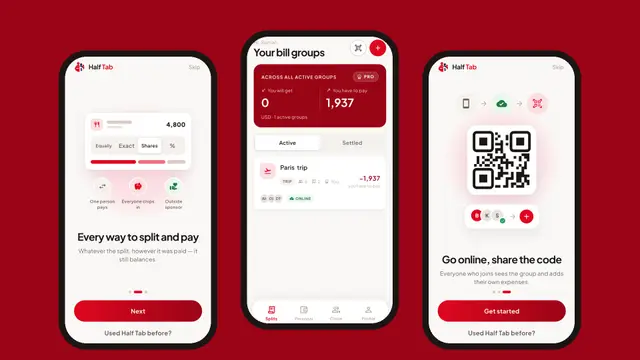
- One person keeps the books. Friends do not need the app or an account. You add them by name, or from your contacts, and add every expense yourself with no daily cap.
- You want to start in ten seconds. No account is needed to start. If you do sign in later, it is only with Apple or Google.
- The trip has no signal. Groups live on your phone first, so adding a bill on a mountain or a plane is normal, not a special mode.
- Your group reads Hindi, Arabic, Nepali or Swahili. Half Tab speaks 21 languages, including several that Splitwise’s App Store listing does not show, such as Hindi, Chinese, Arabic, Turkish, Vietnamese, Korean, Bengali, Urdu, Tamil, Telugu, Marathi, Nepali and Swahili. See the bill splitter app in your language guide.
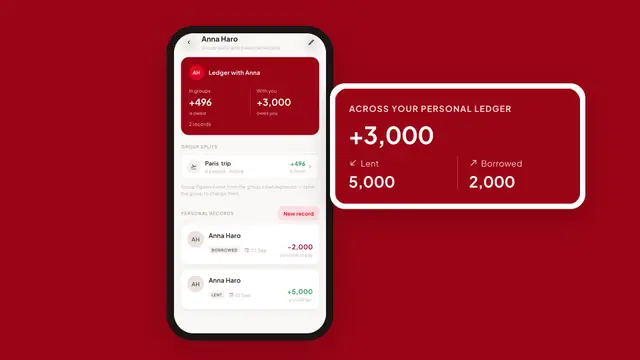
- You also lend money one to one. Splitwise handles IOUs too. Half Tab’s Personal tab adds an optional photo as proof (cash, a transfer, a handwritten note) and shows each person’s group splits and personal records side by side. More in how to keep track of money you lend.
- You want group money options. Besides one person paying, Half Tab records a kitty that everyone chips into and an outside sponsor, such as an employer covering part of a team dinner.
When Splitwise is the better choice
- Your group uses Android or a laptop. Half Tab is on iPhone and iPad. Splitwise runs on iPhone, Android and the web.
- You need many currencies in one group. Each Half Tab group has one currency, chosen when you create it, from 9 currencies (NPR, INR, USD, EUR, GBP, AED, AUD, JPY and QAR). Splitwise lists 100+ and converts between them in Pro.
- Everyone should add expenses from their own phone for free. In Splitwise, every member with an account sees the shared group. In Half Tab, putting a group online so friends can join by QR code or link is part of Pro.
- You want to pay back inside the app with Venmo, PayPal or Paytm. Half Tab does not send or receive money.
- You want receipt scanning. Half Tab does not scan receipts.
How to switch without losing track
- Settle up your open Splitwise groups so every balance is zero.
- Install Half Tab and make a group for the next trip, flat or month.
- Add people by name, then add expenses as they happen.
- At the end, settle up and share the free PDF summary of the group.
For one restaurant bill you do not need any app: the free split bill calculator does it in your browser. If you are also weighing Tricount, read our Tricount alternative comparison, or see the best bill splitting apps compared for Settle Up and Splid too.
Frequently asked questions
What is the best free Splitwise alternative?
It depends on why you are leaving. If the 4 expenses a day limit is the problem, Half Tab and Tricount both let you add as many expenses as you like. If you want to start without an account and keep groups offline on your phone, Half Tab fits best. If your whole group is on Android or needs a web app, look at Tricount or stay with Splitwise.
How many expenses can you add on Splitwise for free?
According to the Splitwise help center, free users can add up to 4 expenses each day. Splitwise Pro removes that limit and adds receipt scanning, currency conversion, search and charts.
Can I move my Splitwise groups to Half Tab?
Half Tab has no Splitwise importer. The simplest way to switch is to settle up your open Splitwise groups first, then start the next trip or month in Half Tab so nobody has to re-enter old expenses.
Do my friends need Half Tab to split with me?
No. One person can run the group and add everyone by name. Friends only need the app if they want to add expenses themselves, and sharing a group online so others can join by QR code or link is part of Half Tab Pro.